Best practices for designing a student registration form
Information Gathering
- Identify Your Needs: Determine what information you absolutely need to register a student. This might include: basic demographics (name, date of birth), contact details (address, phone number, email), and academic background (previous schools, transcripts).
- Consider Optional Fields: Include some fields that might be helpful, but not crucial – like preferred learning style or medical information (with parental consent).
Form Design
- Mobile-Friendly: Make sure the form looks good and functions well on all devices.
- Clear Labels & Instructions: Use clear, simple language for field titles and instructions. Indicate required fields and provide helpful hints where needed.
- Question Type Variety: Use appropriate question types (text boxes, drop-down menus, checkboxes) to make it easy and engaging for users.
- Progress Tracking: Include a progress bar or indicator to show users how far they are through the form-filling process.
User Experience
- Minimize Errors: Implement real-time validation to catch errors as users enter information,. Also, provide clear error messages with guidance on how to fix them.
- Save & Resume: Allow users to save their progress and come back to the form later – especially if it’s lengthy.
- Data Security: Emphasize data privacy and security. Include a clear privacy policy explaining how the information will be used, stored, and shared.
Additional Considerations
- Accessibility: Ensure the form is accessible for users with disabilities, following WCAG guidelines.
- Multiple Languages: Consider offering the form in multiple languages to include a diverse audience.
- Offline Registration: Many schools have moved towards a digital registration process. However, some schools might still rely on paper-based documentation for certain submissions – such as specialized courses, parental consent forms or guardianship papers. In that case, it helps to use a survey tool with an option for paper forms, and offline forms as well.
- Testing: Test the form thoroughly on various devices and browsers before deployment.
By following these guidelines, you can create a student registration form that is efficient, user-friendly, and gathers all the necessary details for successful enrolment.
Why is this form useful for educators and administrators?
Easy Customization
Your school’s registration form can be customized easily to gather specific information. You can add, edit, or remove questions to suit your needs. Keep your school’s logo, colors, and fonts consistent and professional to reinforce your school’s identity. Make the registration form easily accessible and recognizable to parents and applicants by using your own customized URL.
Flexible Questionnaire Design
Choose from 20+ question types, including multiple-choice, open-ended, rating scales, and more. This will help you collect accurate information from applicants and parents. Choose between a single-page or multi-page format, where multiple questions are displayed on a single screen. This will providing flexibility for a smoother and more engaging registration experience.
Integrate with Your Existing Tools
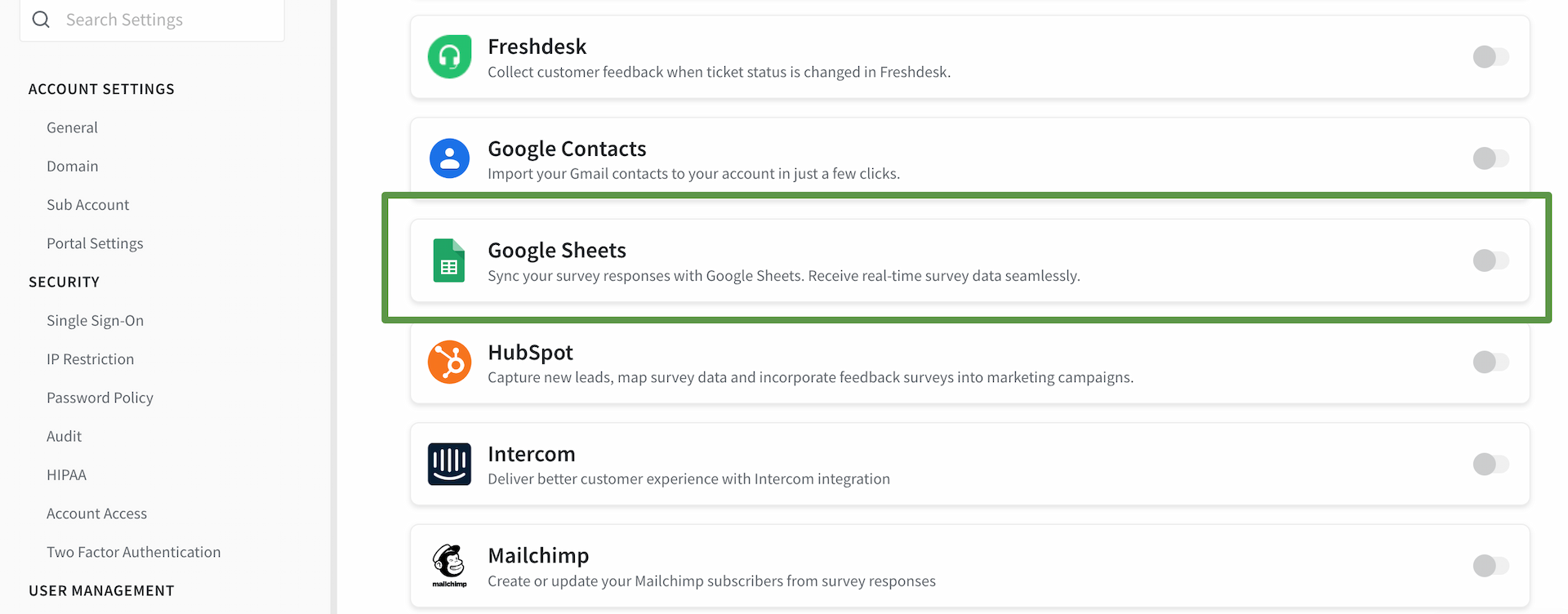
The template allows integration with other tools and platforms commonly used in educational institutions. For example, you can integrate this form with your CRM via Zapier to streamline the registration process by syncing data. You can also connect this form with Mailchimp for email marketing campaigns targeted at students and parents.
Audience Management
With this form, you can manage your audience effectively. This involves segmenting the audience into different categories: prospective students, current students, parents, or alumni. This segmentation allows for targeted forms, ensuring that the right people receive relevant registration-related information.
Multiple Sharing Options
It provides various options for survey distribution. You can share registration forms and surveys through email invitations, direct links, or embedded forms on your school’s website. This flexibility ensures you can reach your target audience through their preferred channels. You can also generate QR codes for your registration form, enabling quick and convenient access for applicants through scanning.
Reporting
Advanced reporting features enable you to analyze the registration data effectively. You can generate real-time reports and insights, helping you understand the registration process’s strengths and areas needing improvement. This information can be crucial for making data-driven decisions to enhance the overall registration experience.
Download SPSS Excel
The form supports exporting survey data in various formats, including CSV and Excel. This benefits further analysis, data manipulation, and sharing reports with relevant stakeholders. The ability to download data in these formats ensures compatibility with statistical software and spreadsheet applications – commonly used in educational research and administration.
FAQs
What to include in a school registration form?
A school registration form should collect student information (name, birthdate), contact details (address, phone number), academic history (schools, transcripts), emergency contacts, and program choices if it is for higher education.
When should we use a school registration form?
Whether it’s kindergarten, a new district, or higher education, the school registration form should be adapted according to the type of school and the age of the students.
Primary school applications are usually required a year before the child can start school, while secondary school applications open earlier in the year. There are also in-year applications, allowing parents to apply for a place at a school once the school year has started.
How can a school registration form improve the enrolment process?
Online registration forms streamline data collection, reduce paperwork, and allow for easier data management by the school, improving the enrolment process. Online registration also allows direct uploads of critical documents like birth certificates and vaccination records. This reduces the need for follow-up appointments, and saves time for both parents and school staff.
How can a school registration form reduce enrolment time?
School registration forms reduce enrolment time in 3 ways.
- They save time by enabling direct data entry by students/guardians.
- They offer real-time validation, instantly checking the data for accuracy and highlighting any mistakes.
- Moreover, these forms can be accessed from anywhere, enabling parents and students to submit them remotely. This eliminates the need for physical visits to the school.